
Start with one home
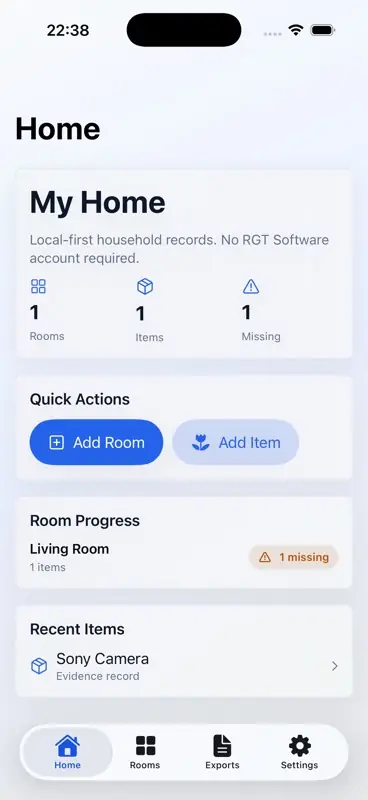
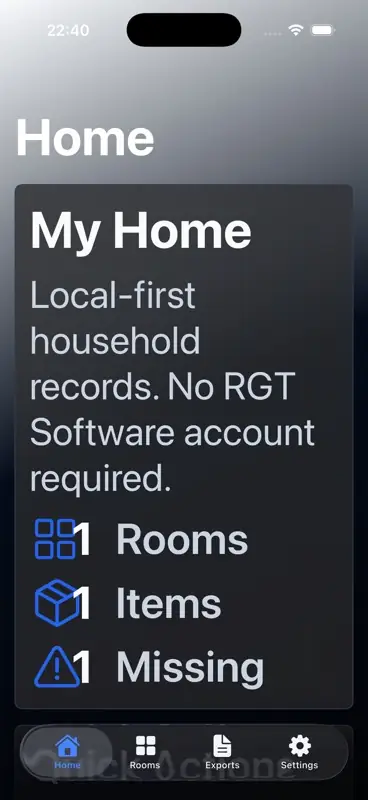
Open ClaimBook Home and create your first home record. Keep the name simple and recognizable, such as "My Home". The app starts locally and does not require a RGT Software Ltd account.
Add rooms before items
Use Add Room to create the spaces you want to track. A small first pass is usually enough: start with one important room, then add more when you have time.
Add important items
Use Add Item to record belongings in the selected room. Useful fields include item name, category, brand, model, serial number, replacement value, condition, warranty date, and notes.
Add evidence
Attach photos, receipts, documents, and other supporting files where they help explain what an item is. If you cannot take a photo yet, use the no-photo-yet confirmation so the app can distinguish an intentional gap from a forgotten photo.
Review missing evidence
The dashboard and room summaries show where evidence is still incomplete. Missing-evidence labels are prompts to improve your records; they are not a judgement about whether a claim or report will be accepted.
Create an incident dossier
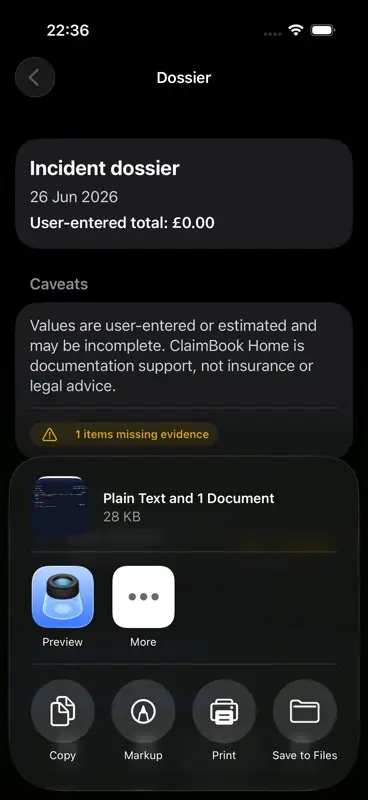
Open Exports, create a new dossier, and select the affected rooms or items. The dossier view shows selected items, user-entered totals, caveats, and any missing evidence before export.
Export PDF and CSV files
Premium export creates PDF and CSV dossier files for the records you select. Use the system share sheet to preview, save, print, copy, or send the generated files through destinations available on your device.
Manage premium and restore purchases
Open Settings to check premium status, restore purchases, or manage subscriptions after App Store products are available. App Store purchases and refunds are handled by Apple.
Keep optional copies in Private iCloud
ClaimBook Home works locally without a RGT Software Ltd account. If you want supported records and original files to stay available on your other devices, open Settings and choose Review and Enable Private iCloud.
- Read what ClaimBook Home will copy to your private iCloud account.
- Choose Enable only when the device is signed in to the Apple Account you want to use.
- Wait for Settings to report that records and verified original files are up to date before relying on another device.
You can pause and resume Private iCloud without deleting your local library. Turning it off stops new cloud work but leaves your local records, pending changes and existing private iCloud copies in place.
Deleting data from one device is different from deleting it from Private iCloud. Read the confirmation carefully, and keep the app connected until any private iCloud deletion is reported as up to date.
Understand privacy
ClaimBook Home stores records on your device first. Private iCloud is optional and uses the private part of your own Apple iCloud account. RGT Software Ltd does not operate a ClaimBook Home cloud account service and cannot browse your private iCloud records. If you save or share exported files, you choose the destination through Apple system share options.
Get support
For help, visit ClaimBook Home Support or email support@RGTSoftware.com.