

Hive Foreman
Clear beekeeping records for iPhone and iPad.
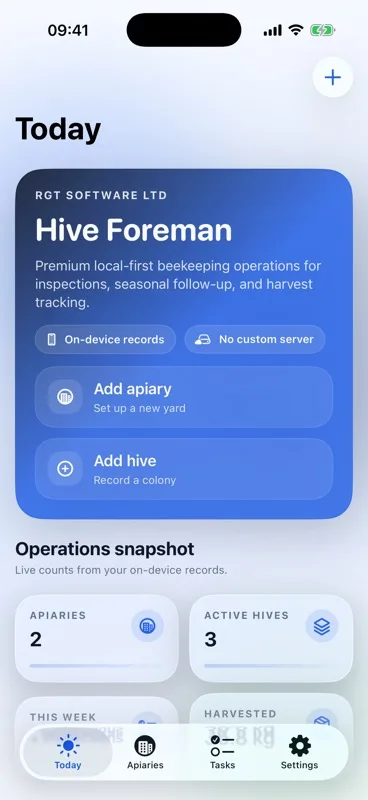
Hive Foreman keeps apiaries, hive checks and follow-up work together, so you can arrive prepared, record what you find and leave with the next job clear.

Today
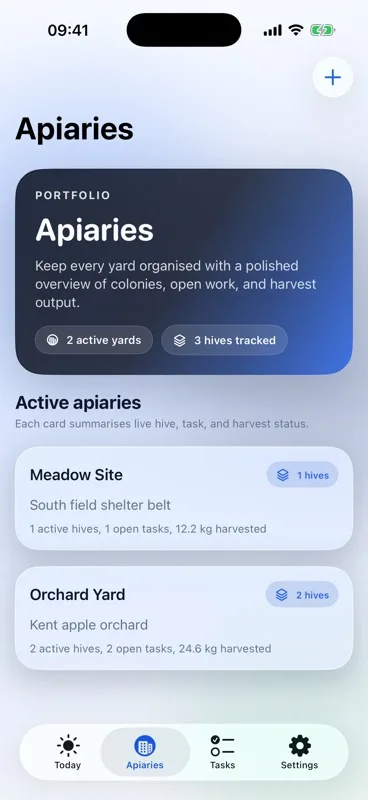
Apiaries
Know what needs attention.
Today brings overdue work, jobs due soon and this week's checks together, while each apiary keeps its hives, notes, work and harvests in the right place.
Apiary detail
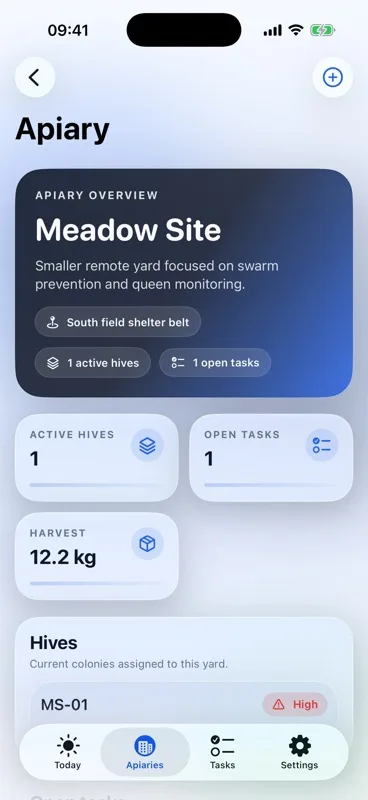
Open an apiary before a visit to review its active hives, unfinished work, local yard notes and harvest history.
Follow-up queue
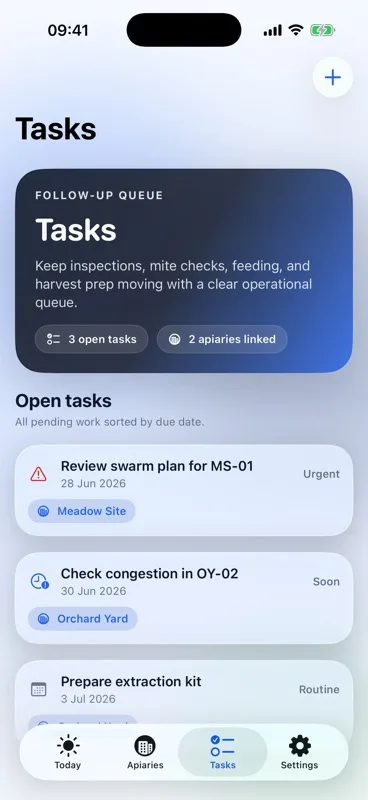
Keep swarm checks, feeding, mite observations, queen work and harvest preparation in a clear due-date order.
Settings and storage
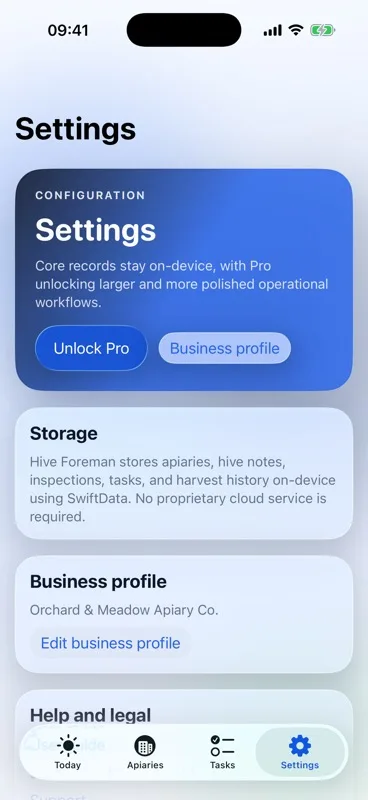
Settings keeps backups, Private iCloud, spreadsheet tools, equipment, cashbook, business details, subscription controls and help together.
Useful hive checks
Choose a quick observation or a fuller inspection. Record only what you checked, add photos or a reviewed voice draft, and turn a finding into follow-up work while the reason is fresh.
History that stays connected
Keep queen changes, feeding, treatments, mite observations, moves, splits, merges and harvests with the correct colony instead of searching through scattered notes.
Your records, your choice
Use the app locally, turn on Private iCloud for supported changes across your devices, keep a separate complete backup and preview reports before sharing them.