
Download GoldenPlan: Sun & Golden Hour from the App Store. The app starts with one clear job: choose a place and time, then understand the likely natural light before you arrive.
1. Start a plan
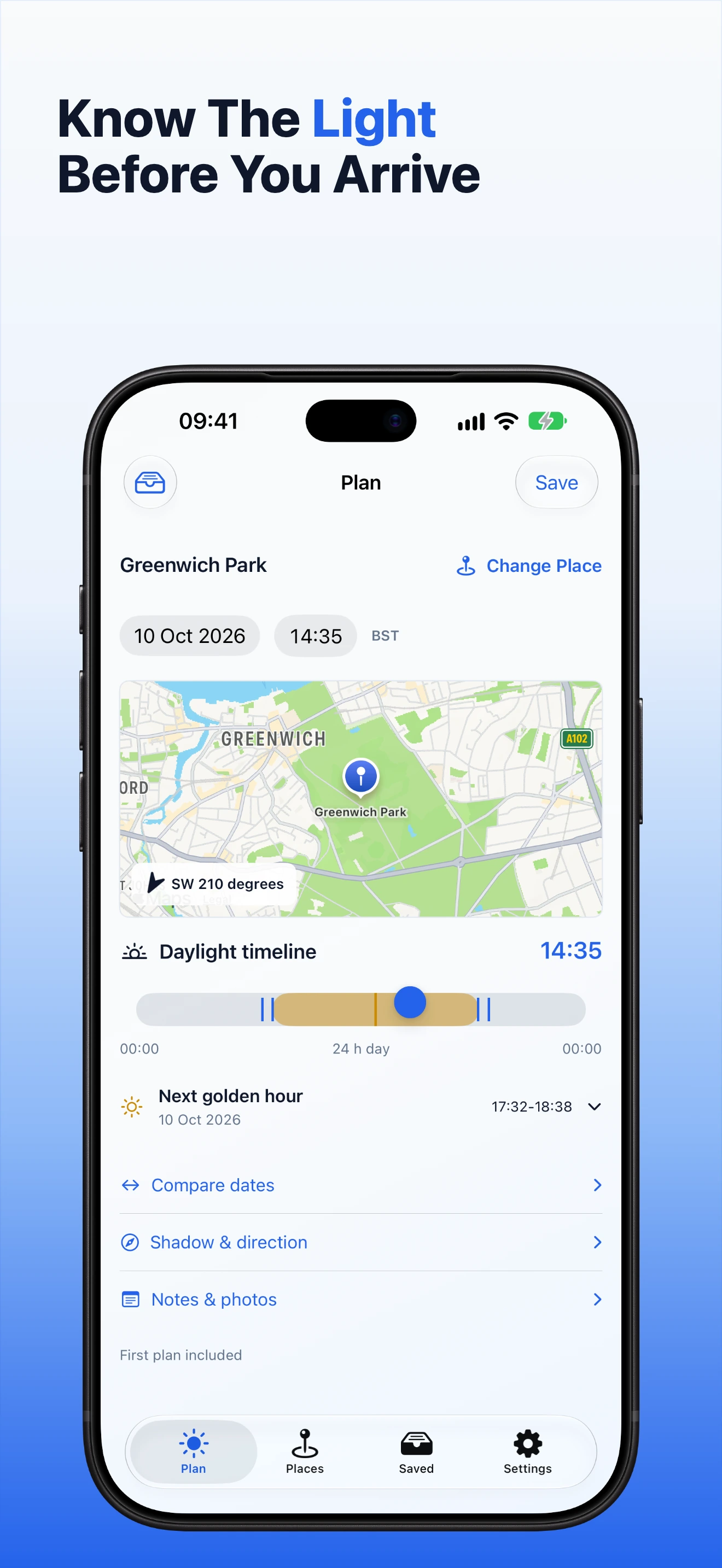
Open the Plan tab. The top of the screen shows the current place, date and time. The map and daylight timeline use those choices together, so change them before relying on the result.
2. Choose the place, date and time
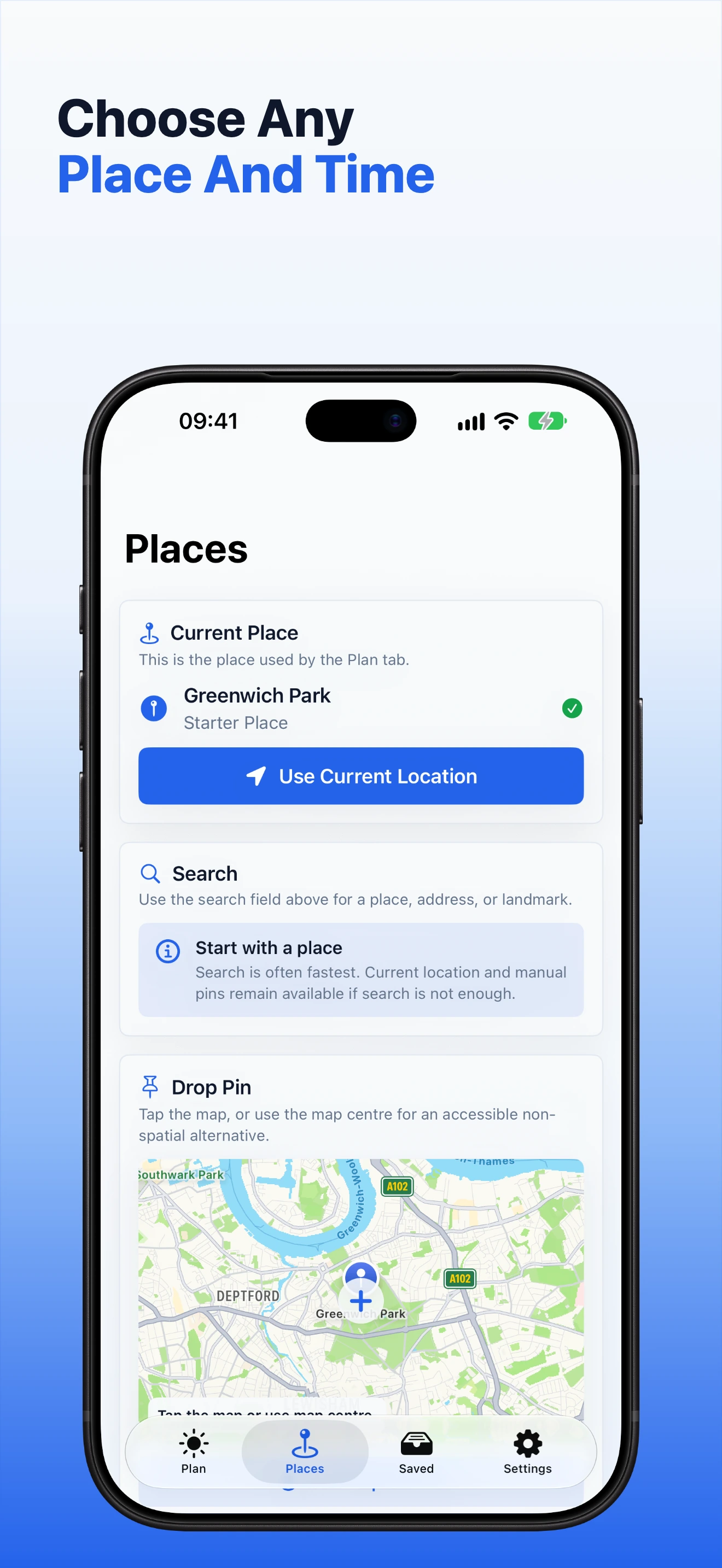
Tap Change Place to search, use your current location or drop a pin on the map. You can plan without location permission by searching or choosing a manual pin.
Tap the date or time to change it. Check the time zone shown beside the time, especially when you plan somewhere away from your current location.
3. Explore the daylight timeline
Drag the timeline handle to move through the day. The displayed time and the sun-direction line on the map update together. The coloured part of the timeline shows the usable daylight period for that place and date.
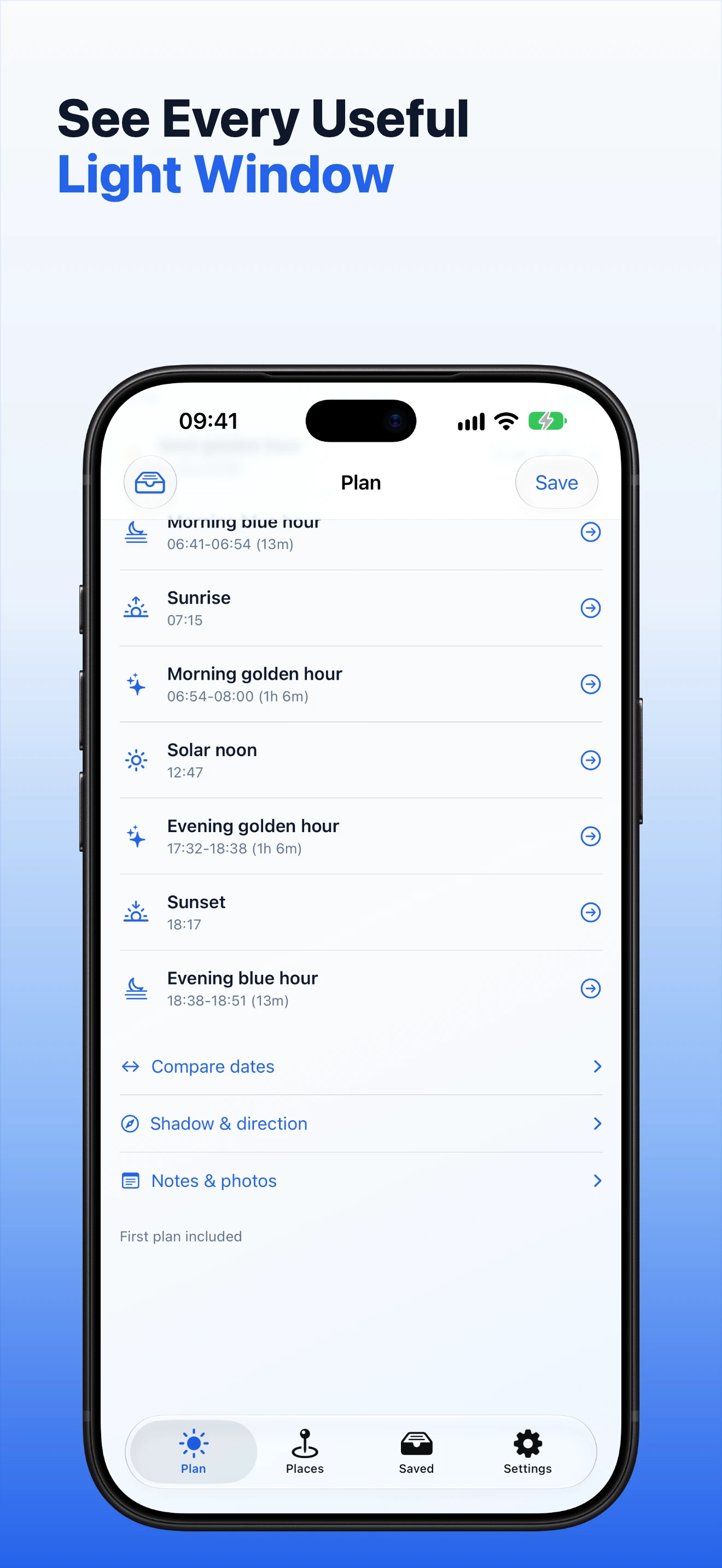
Open the light-event list when you want to jump to sunrise, golden hour, solar noon, sunset or blue hour. Select an event to use its time in the current plan.
4. Compare another date
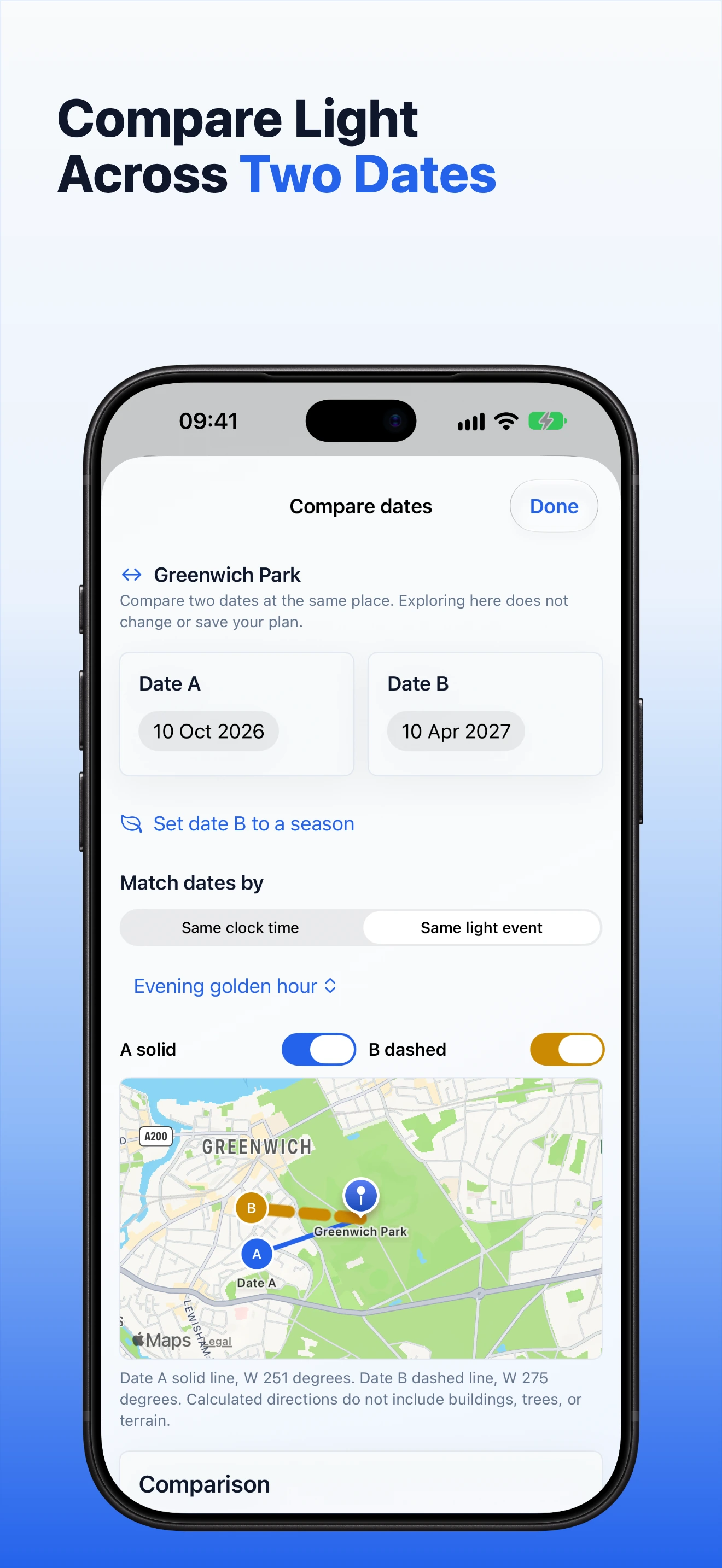
Tap Compare dates, choose a second date and review both sets of useful light events. This comparison stays inside the current planning session, so you do not need to save a duplicate plan just to check another day.
5. Estimate a shadow
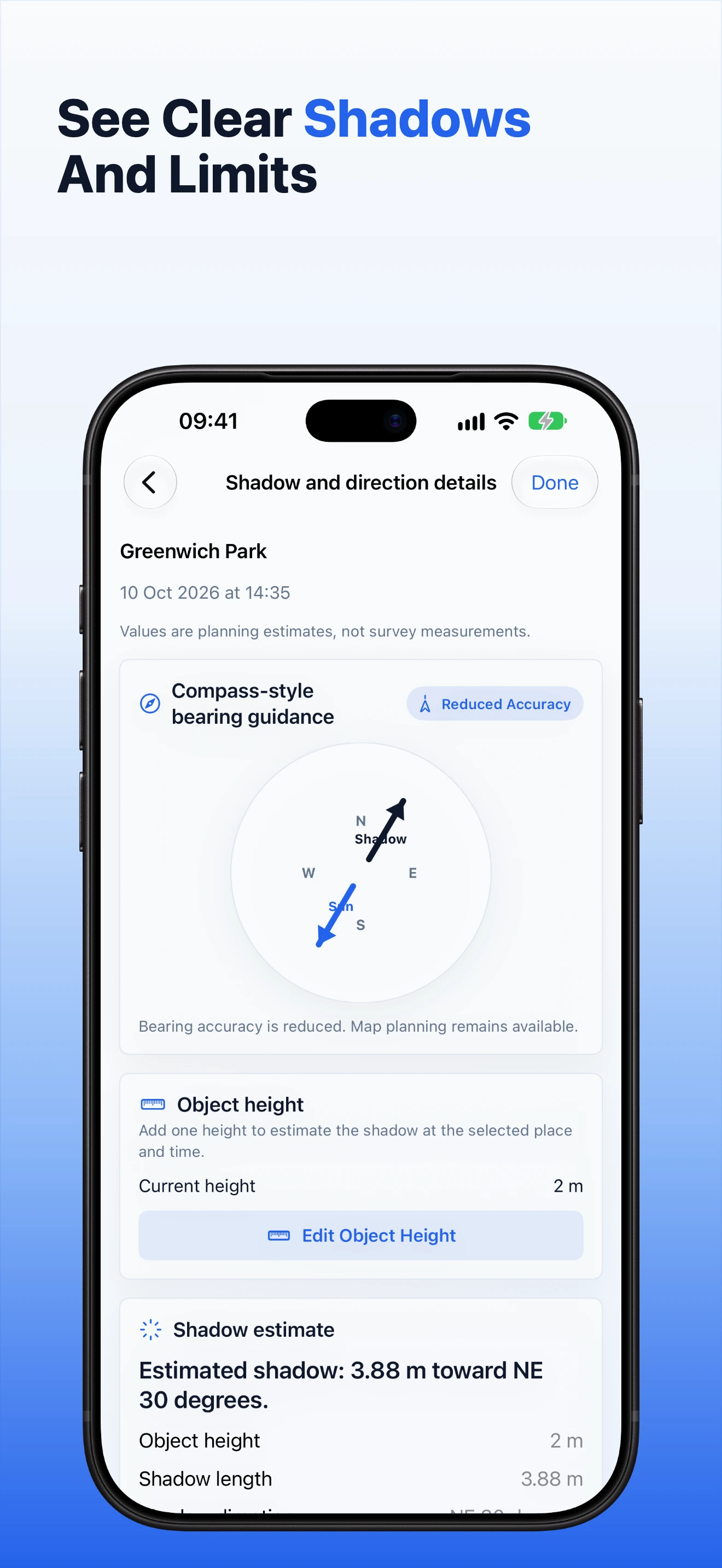
Open Shadow & direction. Enter the height of one vertical object, choose the unit and tap Apply. GoldenPlan shows the current height, estimated shadow length and direction for the selected place and time.
Use Edit Object Height to change the value. Cancel leaves the previous height unchanged. A value must stay inside the range shown on the form.
6. Add notes and selected photos
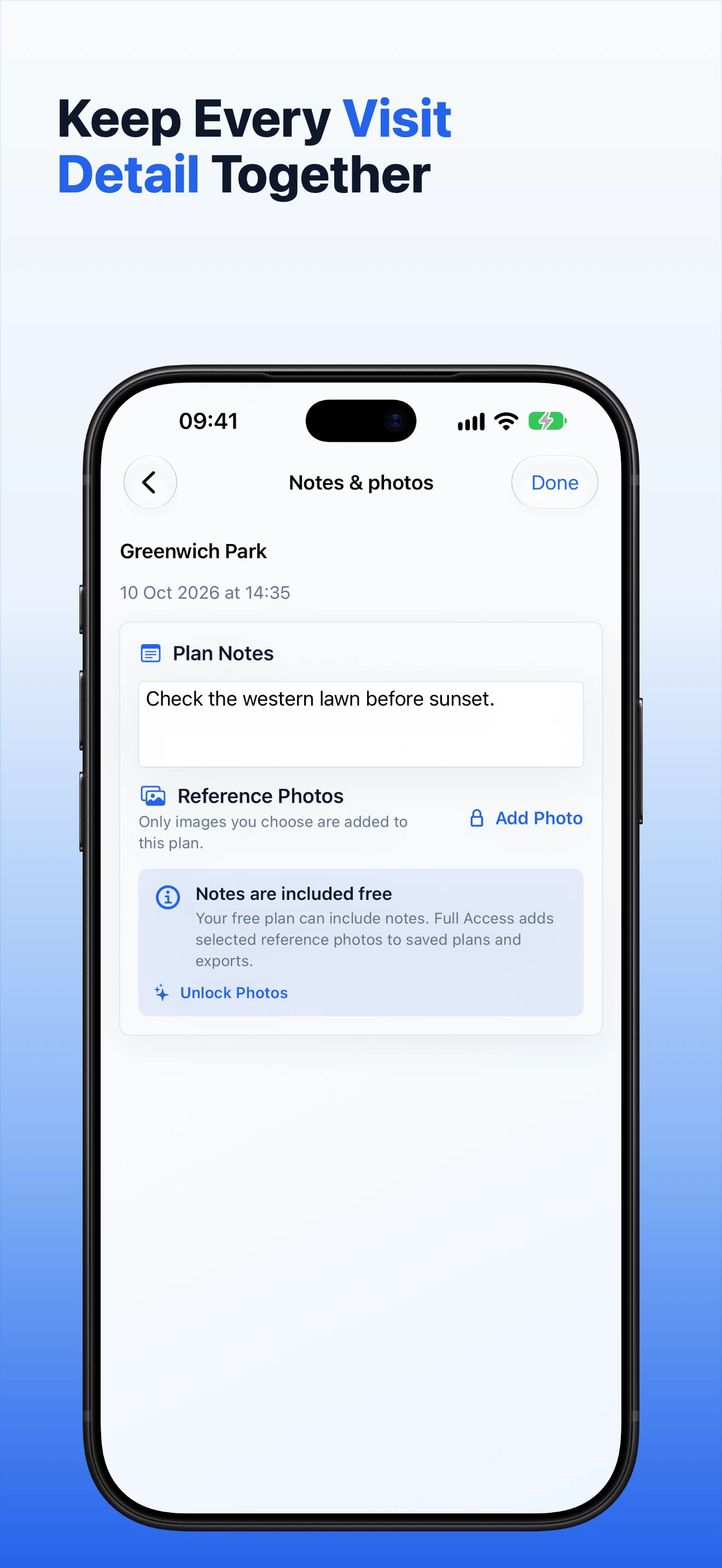
Open Notes & photos to record access details, shot ideas, garden observations or other information you need at the site. Full Access lets you add photos you select from your library. GoldenPlan does not need access to your whole photo library when you use Apple's photo picker.
If you leave an unsaved draft to open a saved plan from the widget, GoldenPlan asks whether to keep editing or view the saved plan. Choose Keep Editing to preserve the draft.
7. Save and reopen a plan
Your first saved plan is included. Tap Save, then open the Saved tab to find it again. Full Access is required when you need more saved plans.
If GoldenPlan cannot find a plan opened from an old widget link, it shows a message and lets you return safely. Open the Saved tab to confirm which plans are still available.
8. Plan a repeat visit
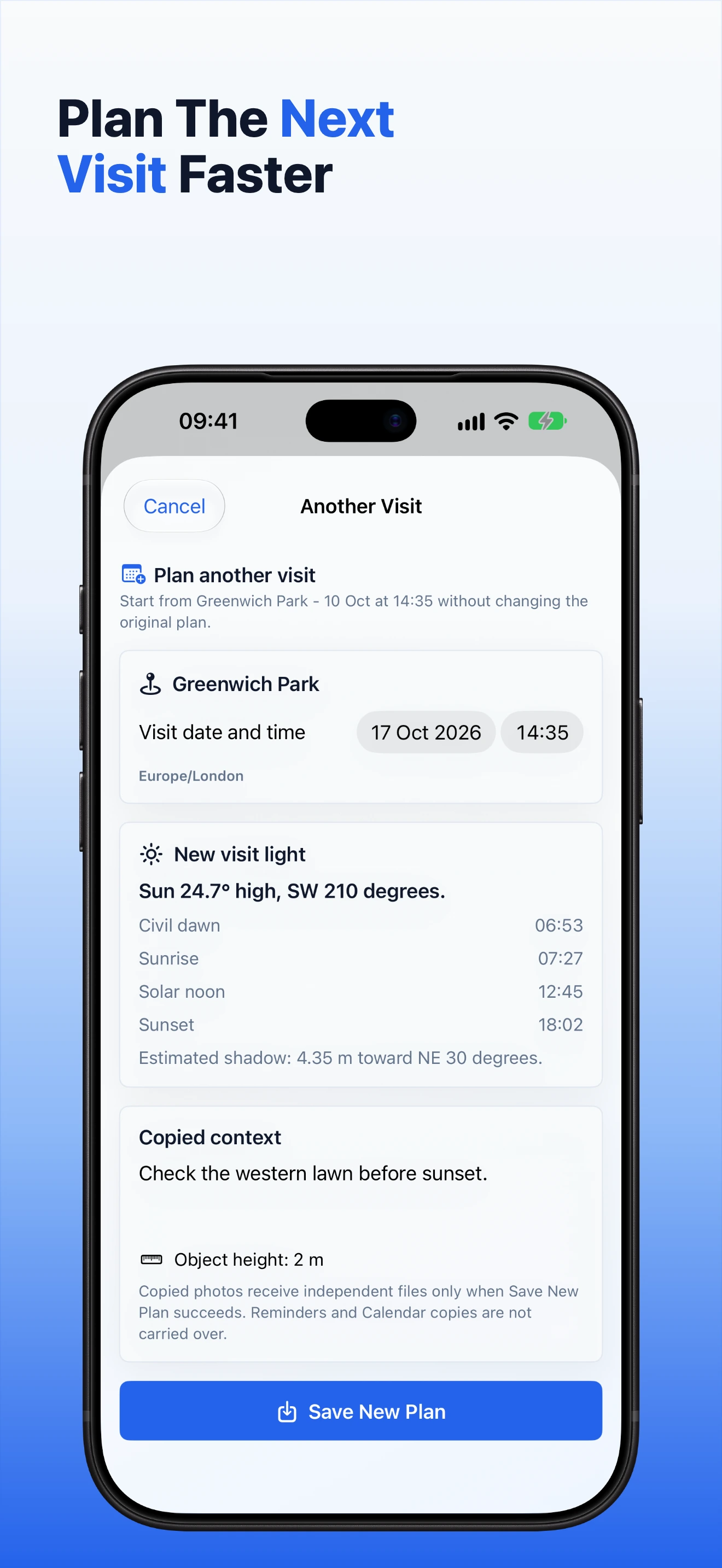
With Full Access, open a saved plan and choose the repeat-visit action. Pick the new date and time, review the copied details, then create the new visit. The original saved plan remains unchanged.
9. Set a reminder
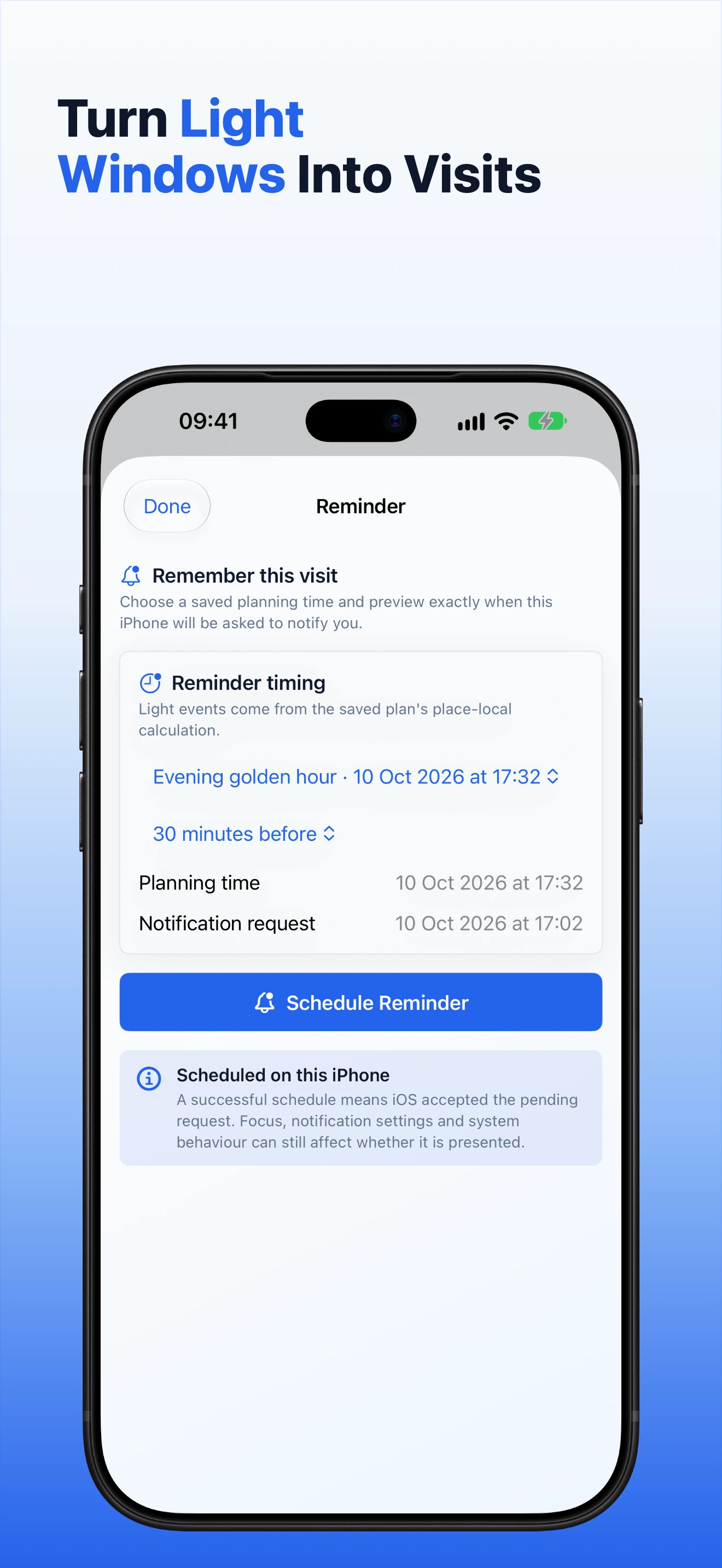
Open a saved plan and choose the reminder action. Select the event and when you want the reminder, then save it. The reminder is stored on this device. If notification permission is off, GoldenPlan explains how to review the setting instead of claiming that an alert was scheduled.
10. Prepare a Calendar event
With Full Access, choose the Calendar action from a saved plan. GoldenPlan prepares the event title, time and useful plan details, then opens Apple's Calendar sheet. Review the event and tap the system Add button to create it. Closing the sheet without adding leaves the Calendar unchanged.
11. Use the Home Screen widget
Open Settings and choose the saved plan for the small GoldenPlan widget. Add the widget from the iPhone Home Screen. It shows the next useful light event from that saved plan. The widget can still show the event when notification permission is off because it reads the saved plan rather than scheduling an alert.
12. Review and share an export
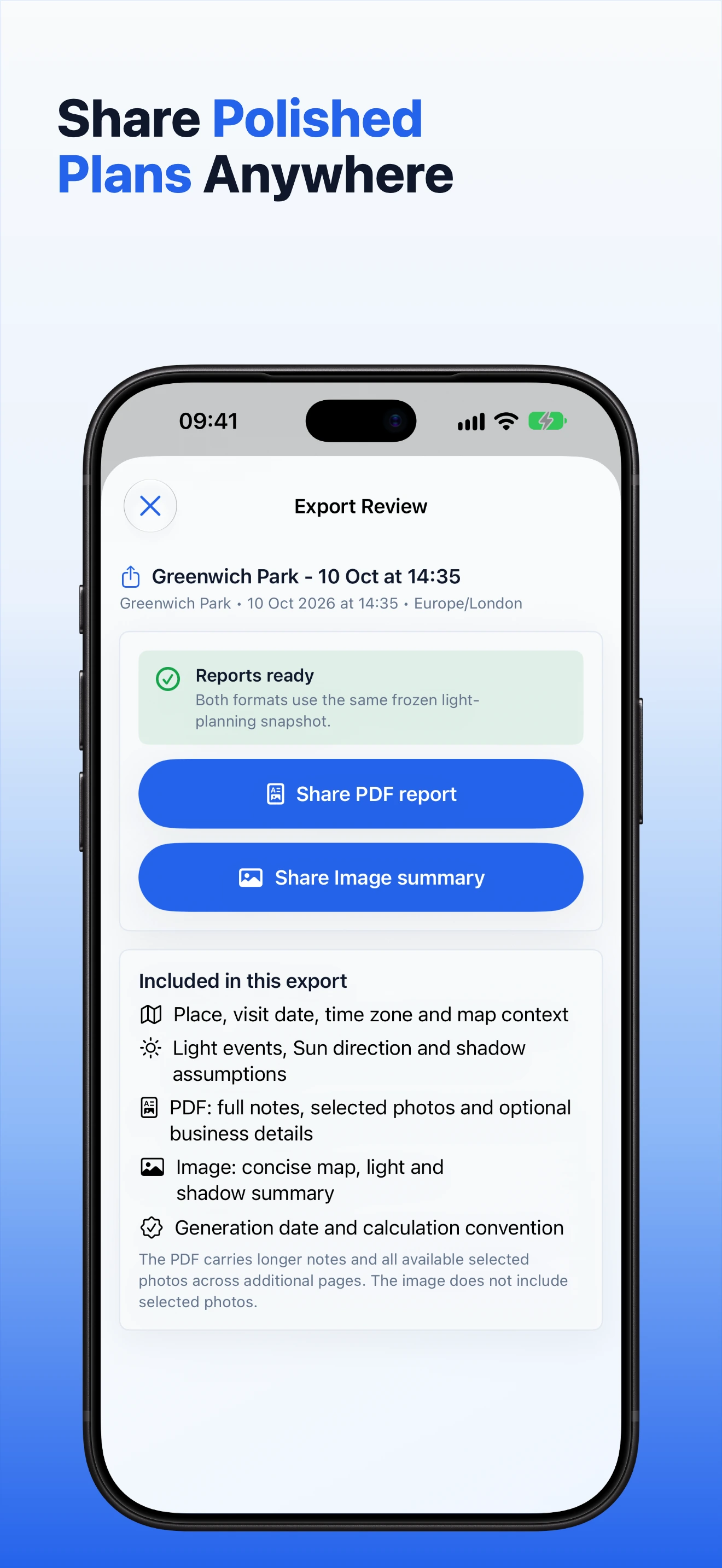
With Full Access, open a saved plan and choose PDF or image export. Review the export before sharing it. Depending on the plan, the summary can include map context, useful light events, sun and shadow values, notes, selected photos, a date comparison and optional business details.
The iOS share sheet controls where the finished file goes. Saving or sending a copy outside GoldenPlan creates a separate file that you manage in the chosen app or service.
13. Full Access and Restore Purchases
Open Settings and tap Unlock Full Access to see the current options supplied by Apple. The purchase screen shows the current terms before you confirm. You can close it without buying.
If you already bought Full Access with the same Apple Account, tap Restore Purchases. Keep an internet connection while Apple checks your purchase history. GoldenPlan unlocks paid features only after StoreKit confirms an active entitlement.
14. Storage and private iCloud continuity
GoldenPlan stores working plans on the device first. With Full Access, supported plan information can continue through your private Apple iCloud account when iCloud is available and enabled. The app remains usable with local data when iCloud is unavailable.
Deleting a saved plan removes it from GoldenPlan. Copies already shared, exported or added to Calendar are separate and must be removed where you saved them.
15. Permissions
- Location: optional. It helps with current-location planning. Search and manual pins remain available.
- Photos: optional. GoldenPlan uses only the photos you select for a plan.
- Notifications: optional. Required for device-local reminder alerts, but not for the widget.
- Calendar: requested only when you choose the Calendar action. You confirm each event in Apple's sheet.
16. Understand the estimates
GoldenPlan is a planning guide. Shadow estimates assume level ground and one vertical object. The app does not model buildings, trees, hills, temporary obstructions or weather. Check important conditions on site and do not use the app for safety, surveying, engineering or solar-compliance decisions.
17. Get help
Open Settings for the user guide, privacy information and support link. If a problem continues, visit GoldenPlan support and include your iPhone model, iOS version, app version and the step that did not work. Do not send private client notes, precise locations or photos unless they are necessary to explain the problem.