
Start with a tank
Open Tank Care Ledger to review active tanks, parameter-log counts and routines due soon. Create a tank with a short name, tank type, optional volume, setup date and notes.
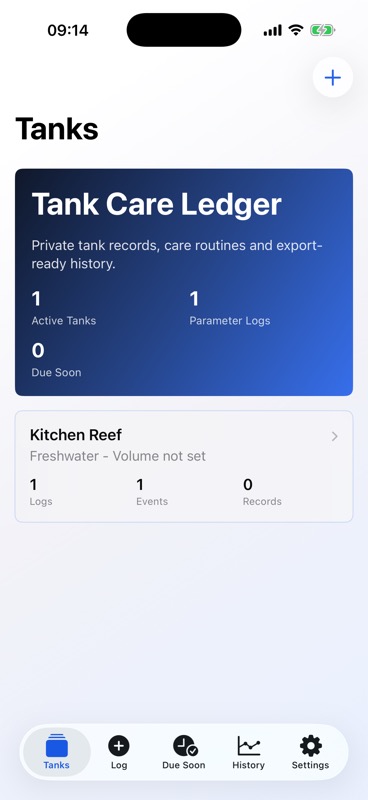
Use the tank dashboard
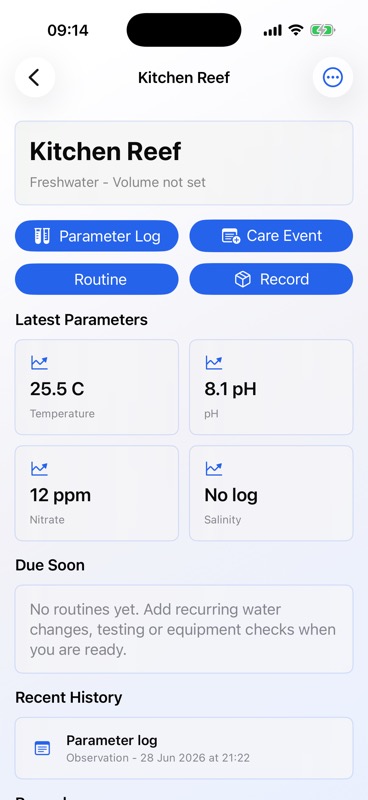
Open a tank to add parameter logs, care events, routines and records. The dashboard shows latest key readings, due routines, recent history and saved records for that tank.
Log water parameters
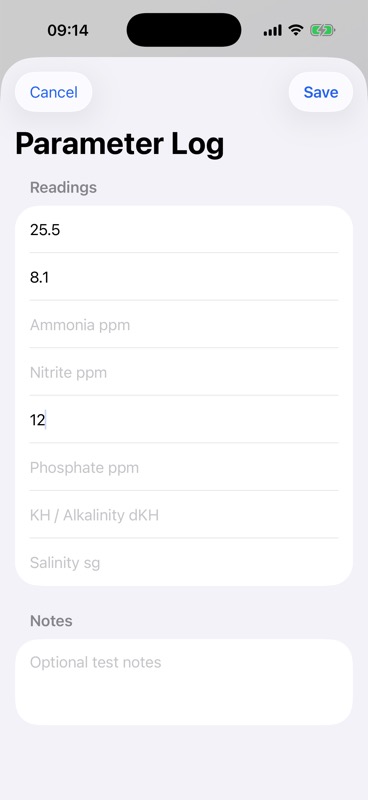
Use Parameter Log to record the readings you tested, such as temperature, pH, ammonia, nitrite, nitrate, phosphate, KH or salinity. You can leave fields blank when you did not test them and add optional notes.
Record care events
Use Care Event for water changes, dosing, feeding, cleaning, testing, livestock changes, equipment changes and other notes. Optional photos can be added through Apple system photo controls when useful for your own record.
Create routines
Create recurring routines for care tasks such as water changes, parameter testing, filter checks, dosing checks or equipment inspection. Tank Care Ledger can request notification permission only when you choose to use reminders.
Track records
Use Record for livestock, equipment and supply notes. Records can include status, added or removed dates, notes and an optional photo.
Export and share
Open a tank dashboard or Settings to create local PDF or CSV exports. Use the Apple share sheet to save, print or send the exported file through destinations available on your device.
Understand privacy
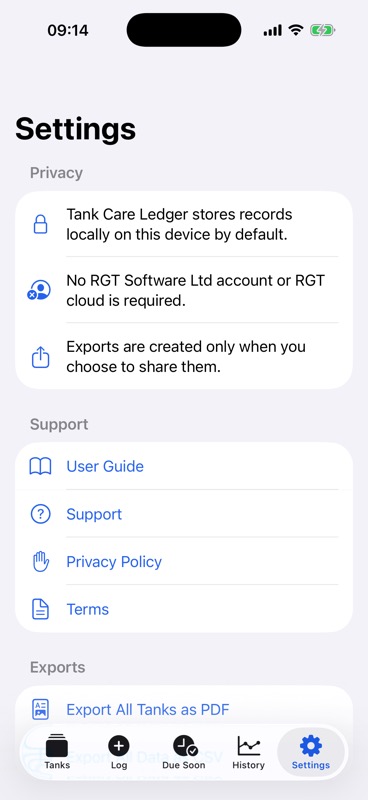
Tank Care Ledger stores tank records locally on your device in this version. Use PDF or CSV export when you want a portable copy of your tank history.
Get support
For help, visit Tank Care Ledger Support or email support@RGTSoftware.com. Include your device model, iOS version, app version, and a short description of the issue.